
Find the control that owns the behavior you want to change, and read its effective source before editing it.
Settings map #
Settings is a searchable map with four groups: Setup covers ComfyUI, project and media locations, and workflow import; Studio covers behavior, appearance, and fonts; Connections covers Agent Access, Studio sync, and integrations; Data & system covers backup, profile export, advanced controls, About, and troubleshooting.
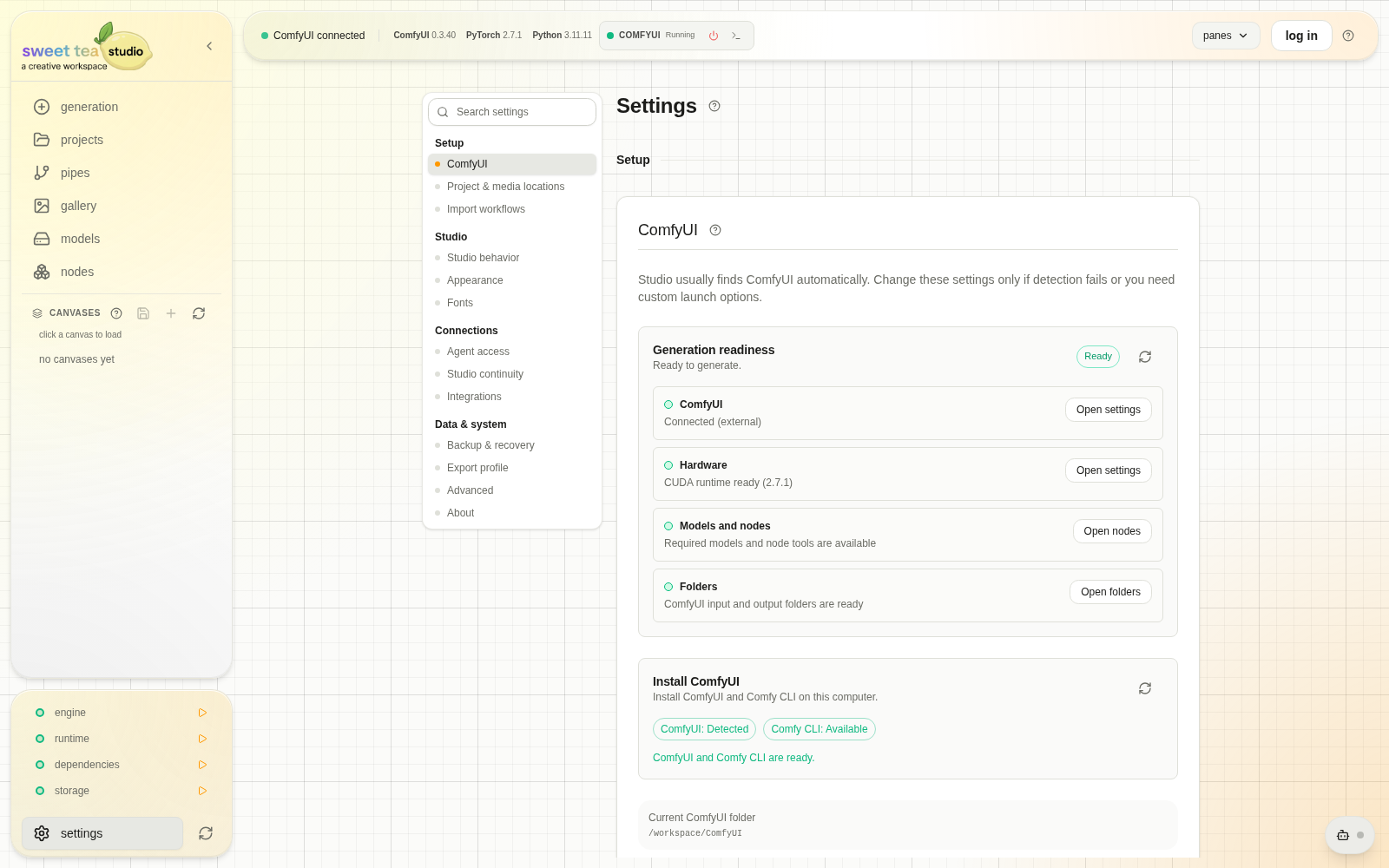
Search matches visible labels and practical terms such as storage root, backup, agent, and Civitai.
| Section | Owns |
|---|---|
| ComfyUI | One-click setup, existing folder, launch target and arguments |
| Project & media locations | ComfyUI input folder, storage roots, existing-media import |
| Import workflows | Discovery, classification, and batch migration |
| Studio behavior | Backend-published application settings |
| Appearance | System, built-in, and imported themes |
| Fonts | Local Transform font import |
| Agent Access | Connections, scope, policy, approvals, activity, cloud runtimes |
| Studio sync | Linked account state, devices, backlog, repair |
| Integrations | Supported external-provider credentials |
| Backup & recovery | Profile database health, backups, Gallery resync |
| Export profile | Compressed profile data export |
| Advanced | Direct ComfyUI URL and performance overrides |
| About | Versions, updater, bridge, patch notes, repair, feedback |
Integrations #
Integrations stores supported provider credentials, including Civitai and optional Rule34 autocomplete access. A database-saved value takes precedence over the matching environment value. Clear the saved value when you intentionally want the environment configuration to become effective again.
Studio behavior #
Studio behavior includes application settings such as generated image format. Each row shows its default, environment value, saved override, and active value where available. Follow the stated restart requirement after changing a setting that needs it.
Appearance #
Appearance supports the operating-system theme, built-in Studio themes, and imported JSON themes with visible color swatches and a downloadable template. Theme changes affect Studio presentation, not generated media.
Advanced #
Advanced contains the direct ComfyUI URL and performance overrides reported by the local Studio service. Change one value at a time and compare the same workload; connection, dependency, storage, and database failures have their own controls.
About #
About reports the local service and desktop app versions, Git SHA when available, updater and bridge state, structured patch notes, installer repair, and feedback. Include these version details with the triggering action and exact error when reporting a defect.